Configure & Optimize: is there any edge at all?
Choose which dials the optimizer may turn
Each parameter can stay at its default, be forced to a fixed value, or be searched across a range.
The list is the same list NinjaTrader shows in the strategy's Properties dialog, in the same order, with the visual settings (colours, stripes, product info) left out. Some strategies hide inputs behind a selector — ARC's "Stop Loss" only appears once "Enable Algo Stop Loss" is off — and a hidden input has no effect on a run, so AlgoCrucible doesn't offer it either. Fix the selector on this page and the inputs it reveals appear, just as they do in the dialog. Fewer free dials means less room to fool yourself — only free the settings you genuinely aren't sure about.
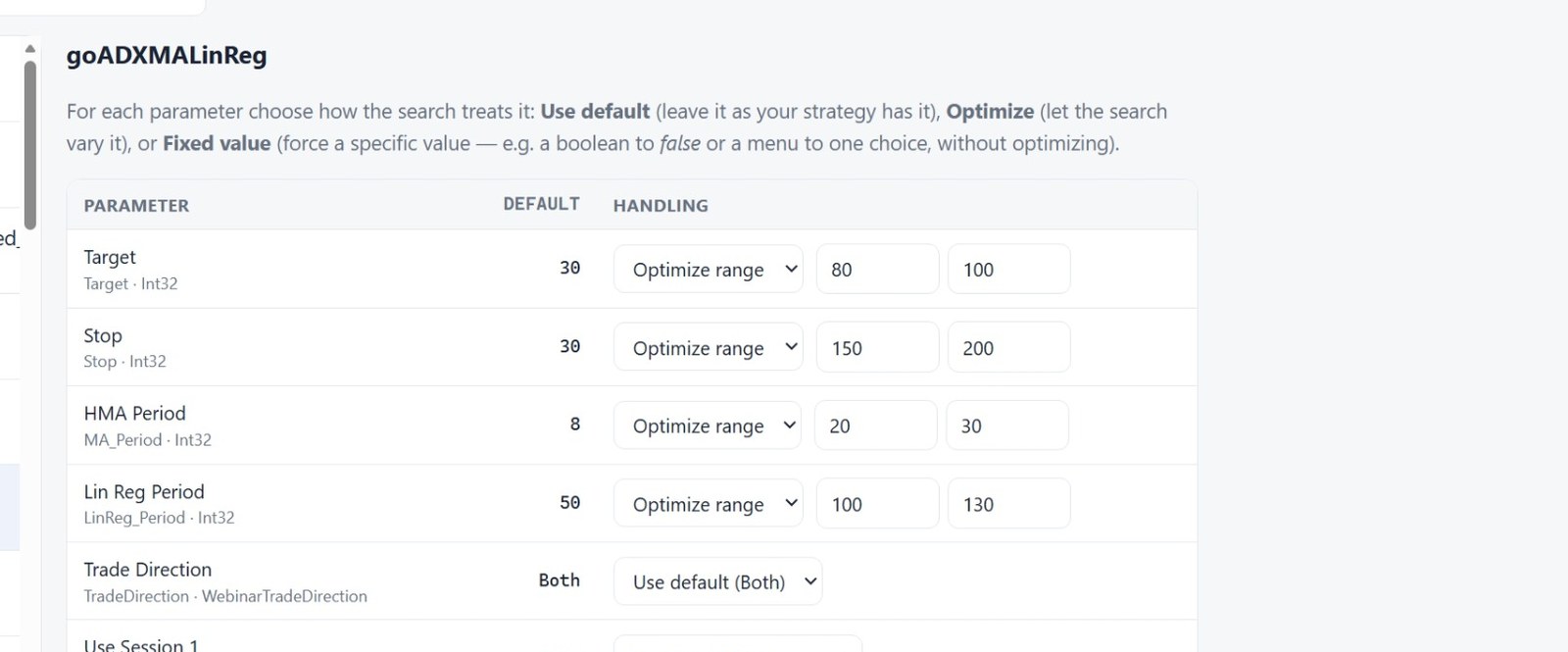
Ranges are starting suggestions based on each default — widen or narrow them freely. There's no step size to set: the search is Bayesian (Optuna), so it samples values intelligently across the whole range rather than stepping a fixed grid.
It samples rather than sweeps: a hundred trials against a space of millions, chosen deliberately. How thorough is the optimization? explains what that means for your results and when to raise the trial count.
Some inputs show Fixed value only, with no Optimize choice. NinjaTrader offers those no
optimize row in its own Strategy Analyzer grid (the vendor declared them without
[NinjaScriptProperty]), so they can't be varied trial to trial — but a fixed value you enter
does reach the strategy for the whole run: AlgoCrucible writes it onto the strategy exactly as
typing it into the Analyzer grid would. Commercial strategies use this for settings like a
higher-timeframe filter's period; if you want to compare two such values, run the study once at
each.
The bar period is a different matter: it is not one of the strategy's settings, so an optimization never varies it. To see the same search on several timeframes side by side, use Compare timeframes… next to Run Optimize — see Compare timeframes.
Whole-number inputs stay whole: a Double whose default is a whole number (a stop in ticks,
say) is searched at whole numbers only. Some strategies stop trading entirely on fractional
values — a stop of 173.5 ticks can mean zero trades where 173 traded thousands of times — and a
search that wandered into fractions would read as a dead strategy.
Before you press Run, the page shows an estimated duration from the bar type, date range and trial count, so a two-hour study is a decision rather than a surprise. If the first ten trials all come back with zero trades, the study stops itself and says why, instead of spending the rest of the budget on nothing.
Run it
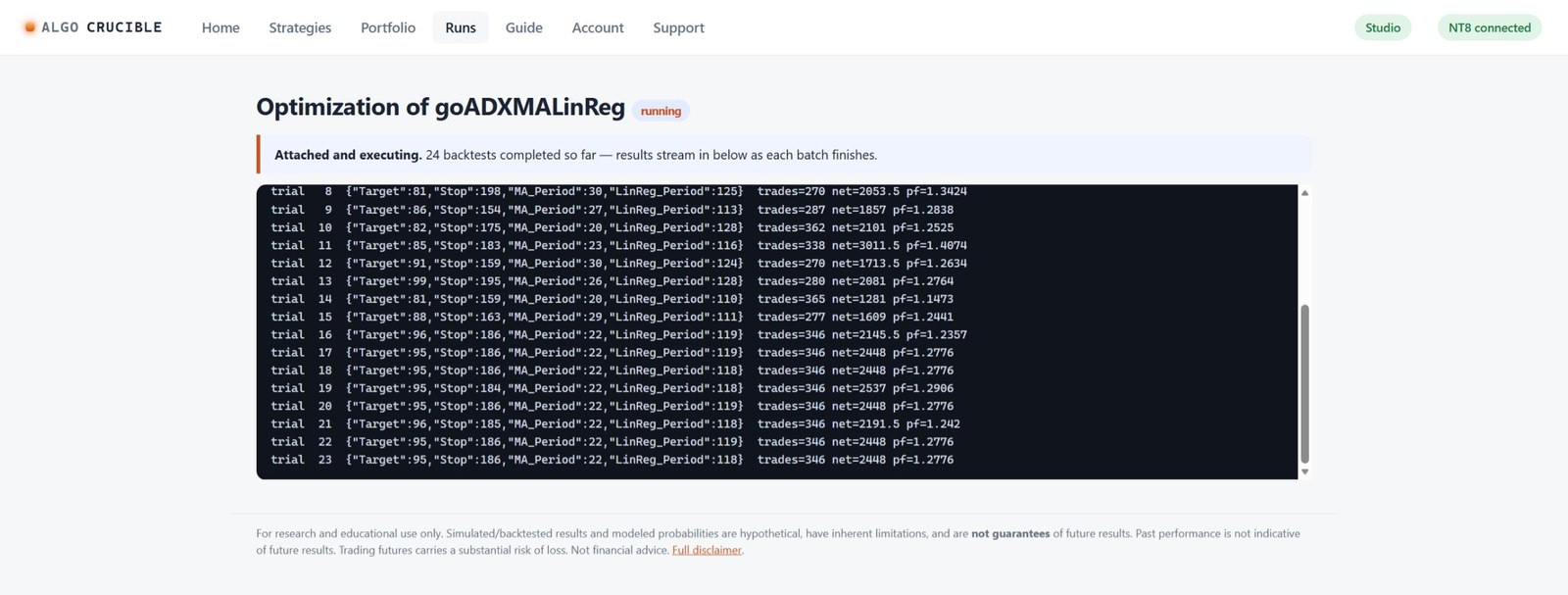
The search runs inside NinjaTrader's own engine — every trial is a full backtest with commission and slippage modeled, streaming in as each batch finishes.
Read the result the right way
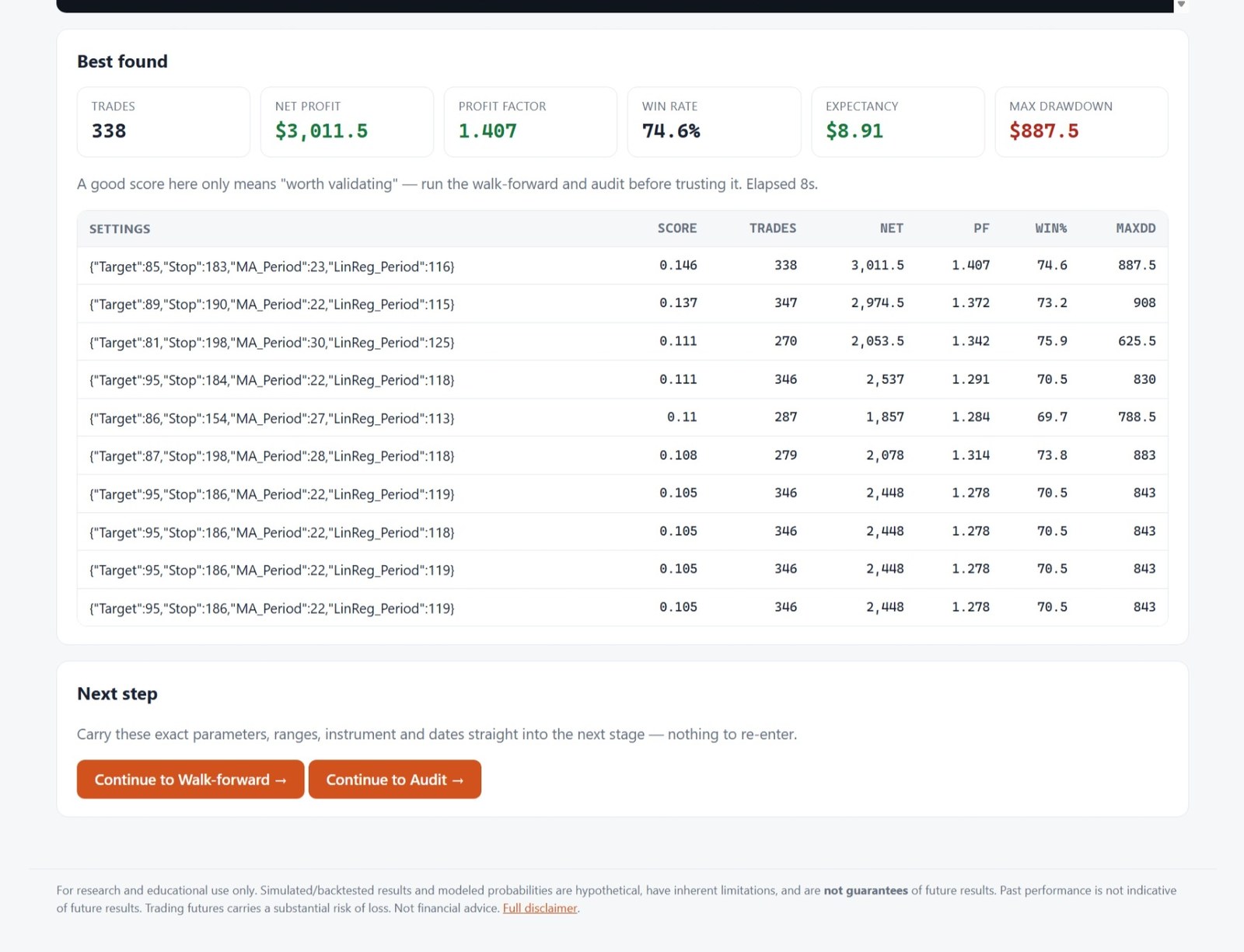
The app says it on the screen: a good score here only means "worth validating." An optimizer can always find settings that looked great in the past. The next stages exist to try to break them — click Continue to Walk-forward; your parameters, ranges, instrument and dates carry straight over.
If NinjaTrader restarts mid-run
A compile or a crash in NinjaTrader ends the job the bridge was running, and the run fails with "unknown job id". Every finished trial is kept in the run's log. The run page then offers Resume: a new run with the same settings that carries the finished trials into the search's memory and runs only the trials still owed, numbered after the ones already done. Their trade lists were lost with NinjaTrader, so those leaderboard rows offer a fresh backtest instead of a stored review. Other stages (walk-forward, audit, and so on) cannot pick up mid-way; the page offers "Run again with the same settings" instead.